
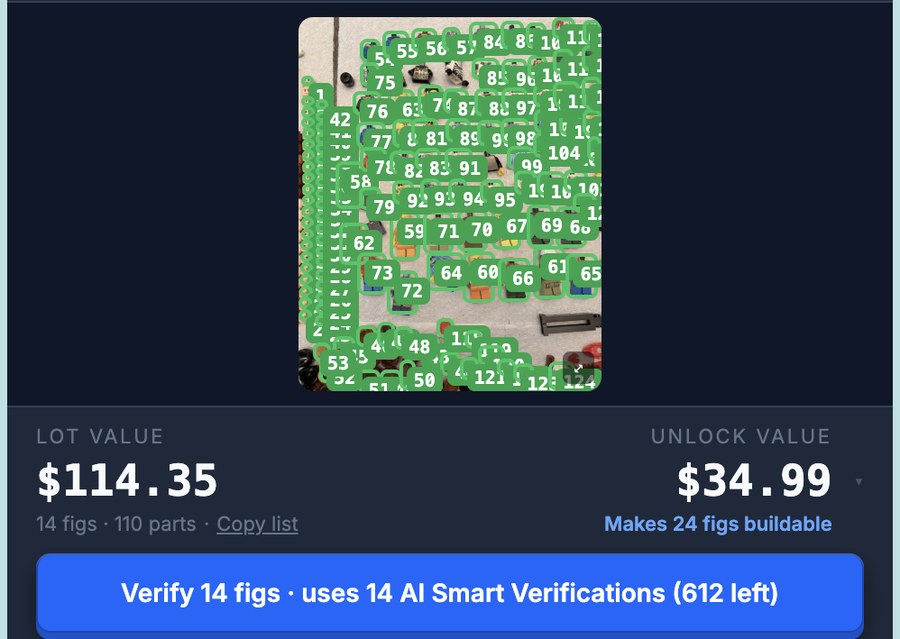
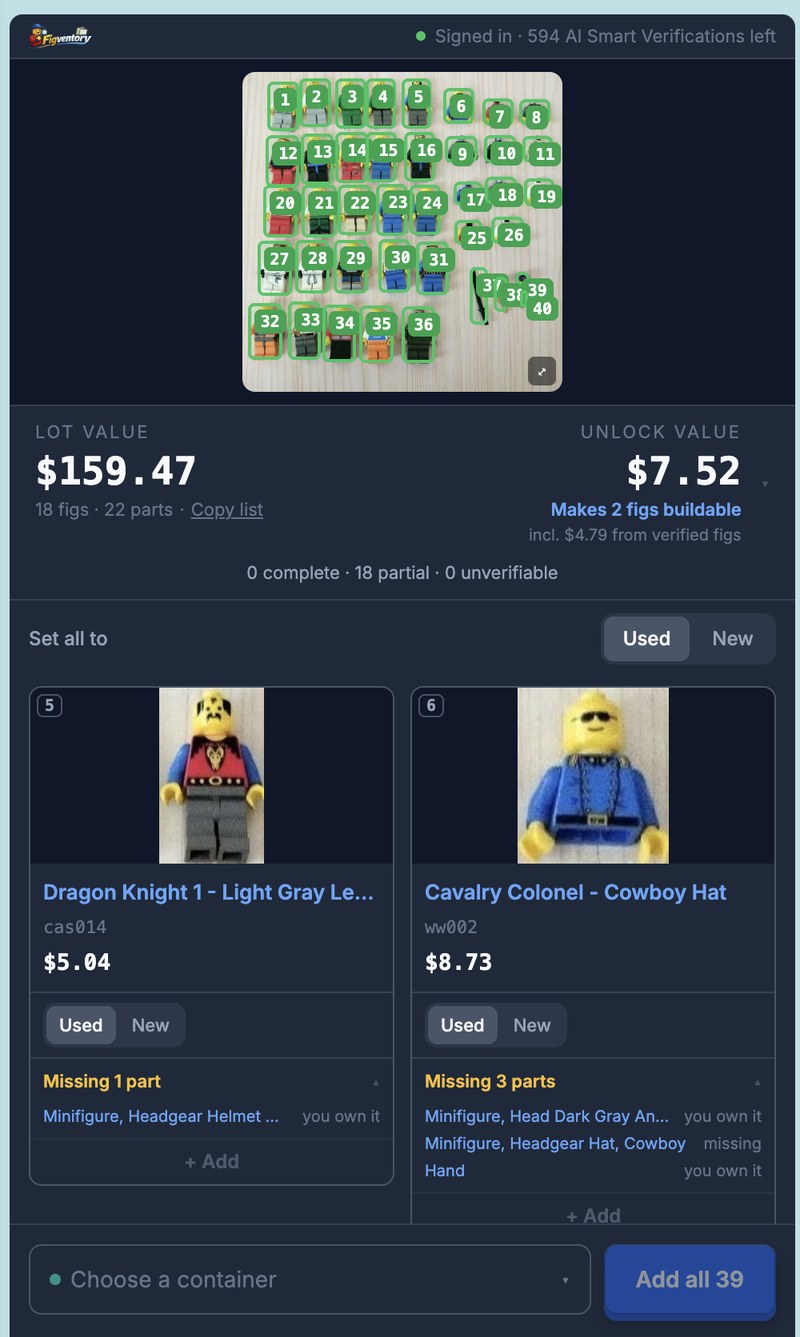
A real scan, in real time: a $90.00 eBay lot, 40 items found, $159.47 of figs and parts.
Every identified fig and part gets a live market price, totaled next to the asking price... the worth-it call in one glance.
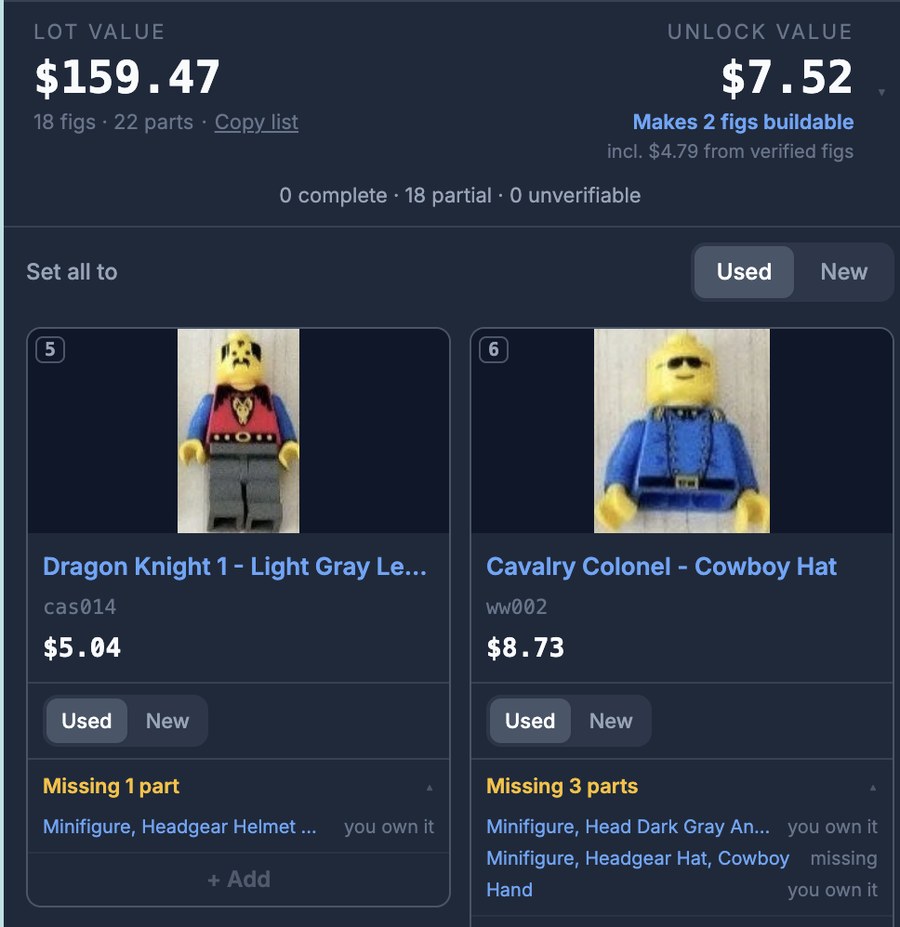
The scanner checks the lot against the collection you’ve already scanned and shows which of your almost-complete figs it would finish. Only Figventory can do this.
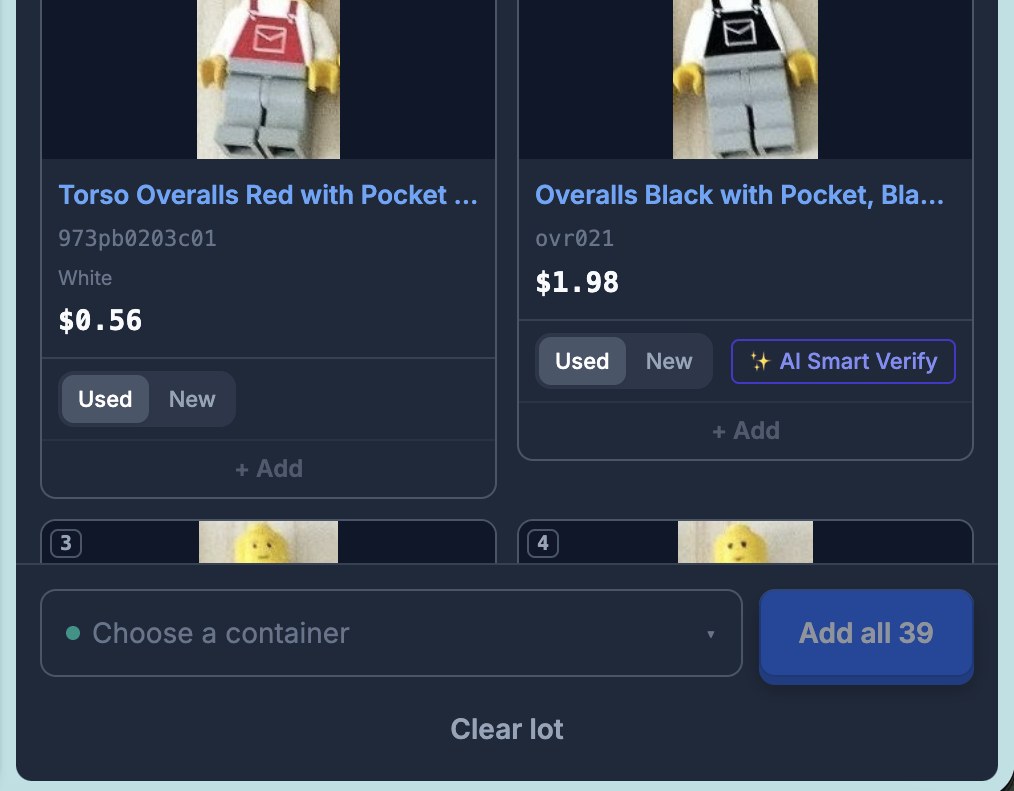
Pick a container and add identified figs and parts right to your inventory, so you don’t need to rescan when it arrives.
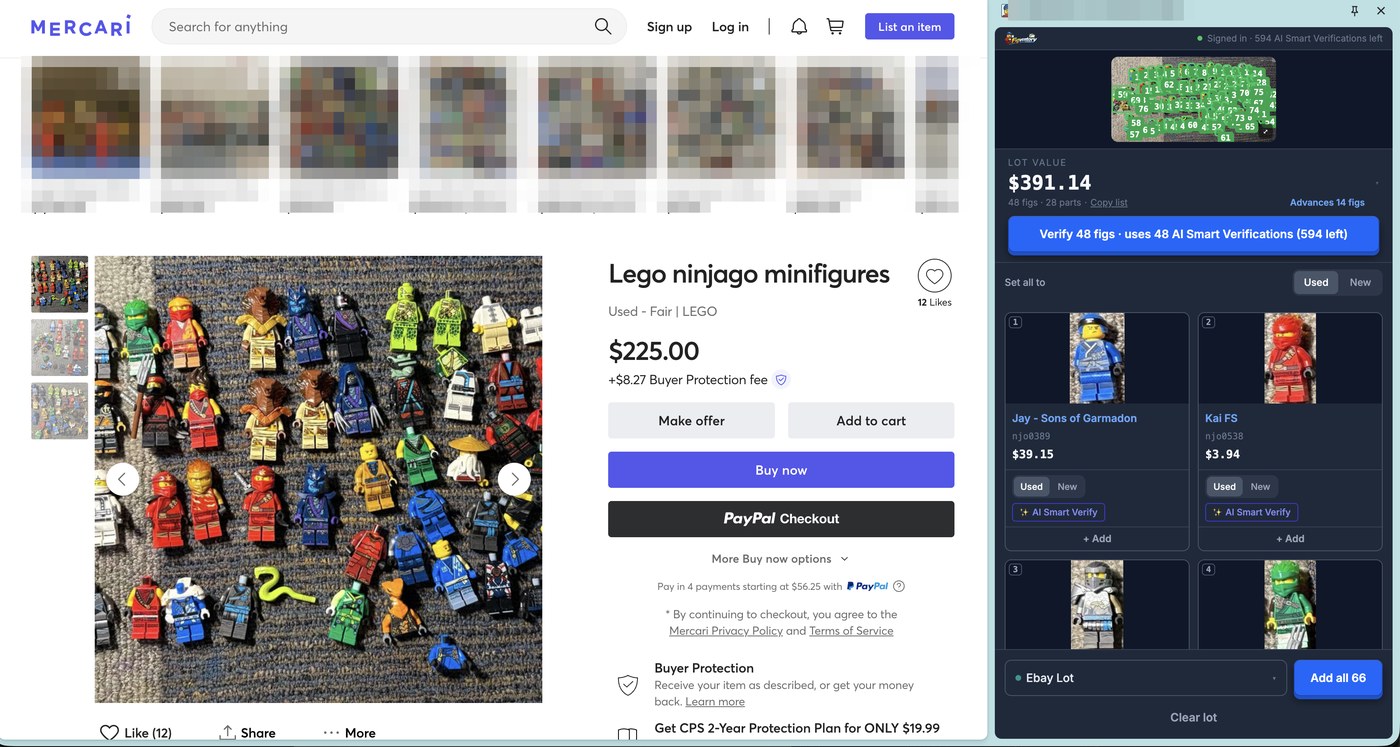
eBay, Facebook Marketplace, Mercari...
Any listing page with photos. You choose a page and start a scan; the extension only ever reads a page when you do.
Right-click, scan, done.
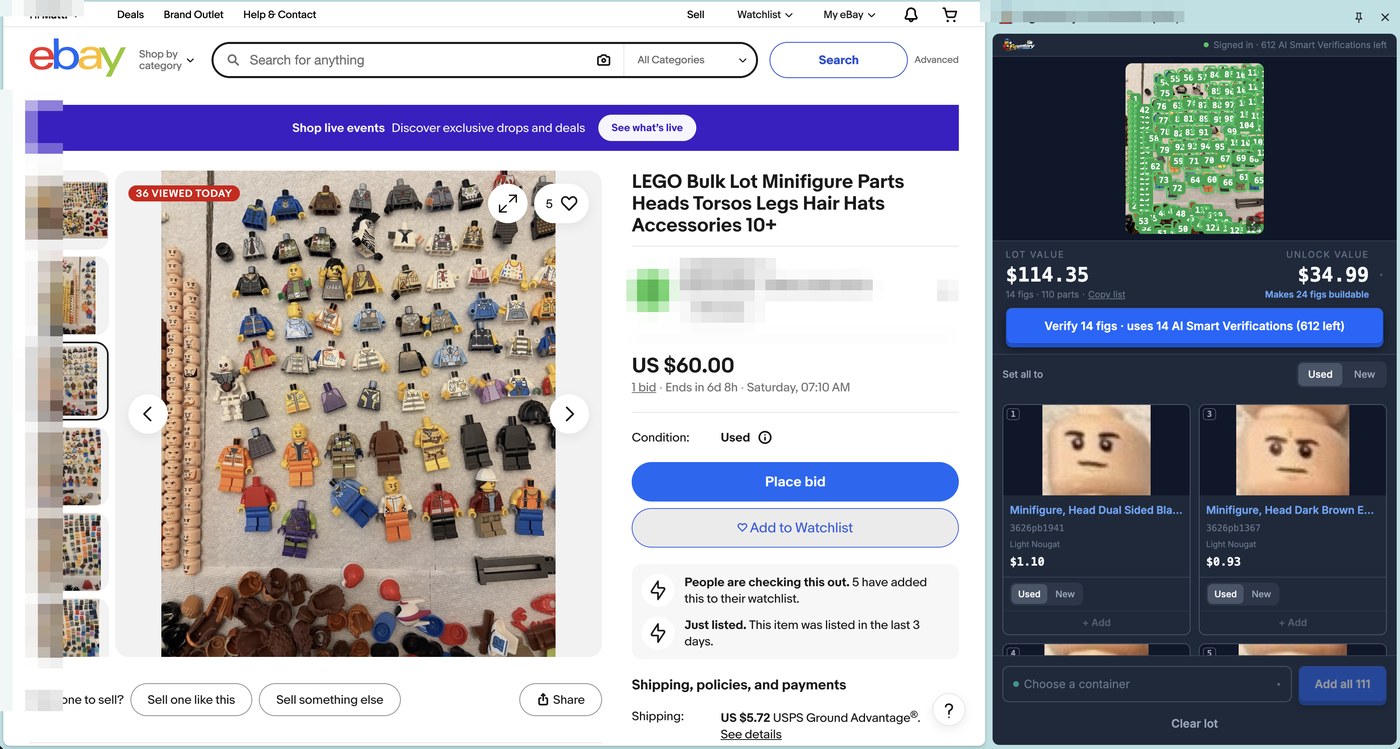
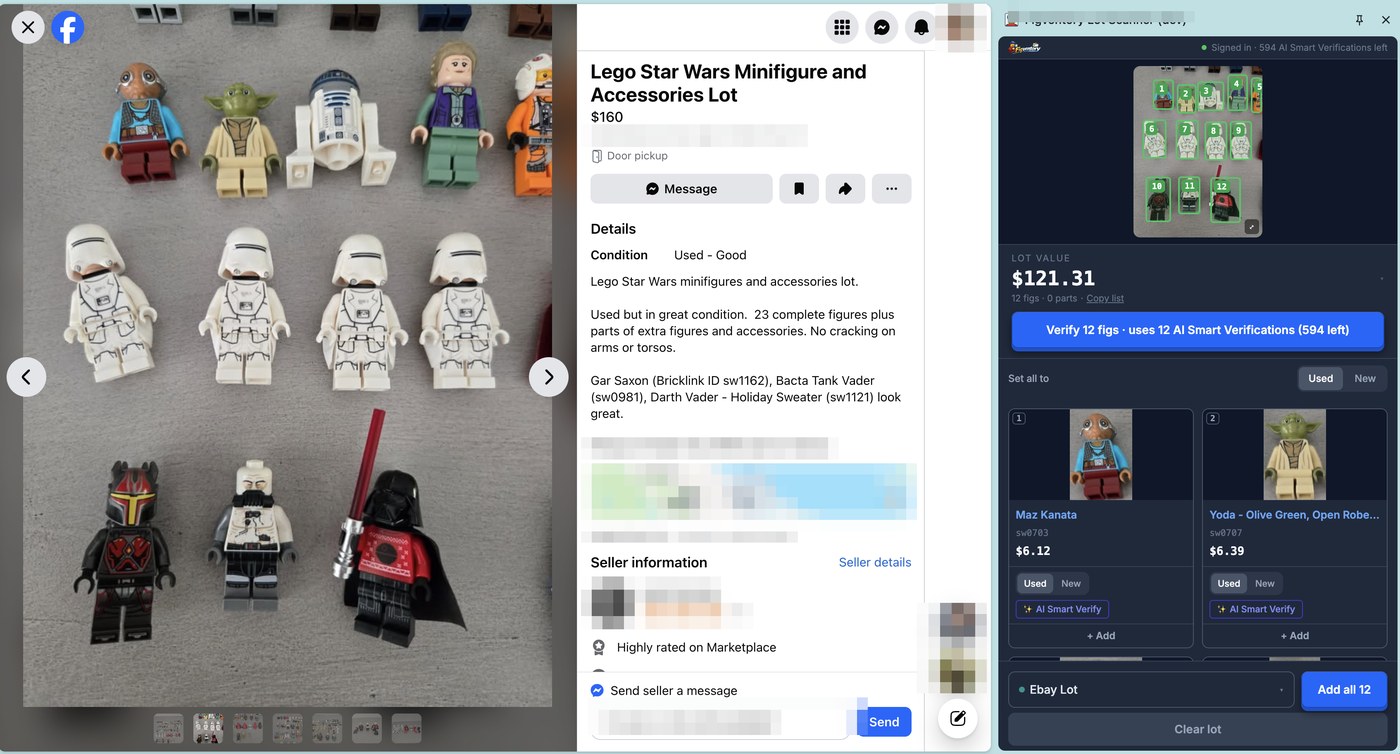
Right-click any photo in a listing (or open the side panel) and choose Scan with Figventory. The extension finds every minifigure and minifig part in the photo... up to 200 parts in one photo.
Names, BrickLink numbers, and live market prices land on every item as it is identified, and the lot’s value adds itself up while you watch.
The lot gets checked against what you already own: what these parts would make buildable, which of your partial figs they would complete, and what that is worth to you... before you spend a dollar.
Right-click any photo in a listing (or open the side panel) and choose Scan with Figventory. The extension finds every minifigure and minifig part in the photo... up to 200 parts in one photo.
Names, BrickLink numbers, and live market prices land on every item as it is identified, and the lot’s value adds itself up while you watch.
The lot gets checked against what you already own: what these parts would make buildable, which of your partial figs they would complete, and what that is worth to you... before you spend a dollar.
Marketplace photos hide things.
So the scanner tells you what it can see, and is honest about what it can't.
Run AI Smart Verify on any fig in the lot and it judges, from what is visible in the photo, whether the fig looks complete or what is missing... then cross-references those missing parts against the lot's own loose pieces and your inventory. “You could complete 3 of these with parts you already own” is a very different purchase decision than a guess.
Identification works from the photo the seller posted. A sharp photo of laid-out figs identifies beautifully. A blurry bin shot identifies like a blurry bin shot. Verification is an AI read of what is visible... it can't see the bottom of the pile, and neither can I. The pitch is not “identifies everything.” It is: know what you're actually buying, to the limit of what the listing shows.
Quick answers.
Yes. The extension is free to install and works with any Figventory account, including Free. Scans and AI Smart Verify runs draw on your plan's allowances, the same ones the web app uses.
From the Chrome Web Store: search for Figventory Bulk Lot Scanner or use the install button on this page. Click Add to Chrome, sign in with your Figventory account, and right-click any listing photo to scan it.
eBay, Facebook Marketplace, Mercari... any listing page with photos. There is no site list to maintain: you choose a page and start a scan, and the extension only ever reads a page when you do.
Yes. The collection cross-check is the point: knowing which of YOUR partial figs a lot completes requires knowing your collection. A Free account works, and creating one costs nothing.
LEGO® minifigures and minifig parts, with names, BrickLink numbers, and live market prices. It is tuned for the minifigure universe: figs, torsos, legs, heads, accessories... the pieces that decide whether a lot is worth buying.