
How to Identify LEGO® Minifigures: Every Method, Honestly Ranked
≈15 min read · Updated August 2026
There is a point in every LEGO® lover's journey where in their hand they hold a minifigure and think… What set does it go to? Is it complete? Does it have all the right parts? Where did it come from? WHAT MINIFIGURE IS THIS!?!? Maybe it surfaced from a childhood bin, maybe it came in a bulk lot, maybe you found it on the ground. The only thing you know for certain… is that you are determined to identify and find out everything you can about this minifig.
Trust me, I know, I've been there hundreds if not thousands of times at this point. It all started with a childhood bin of LEGO®, sitting in my childhood living room with my Dad and Sister, trying to remember what sets the figures we were finding might have gone with. (That story's here.) SPOILER ALERT: Google Lens did not do the trick.
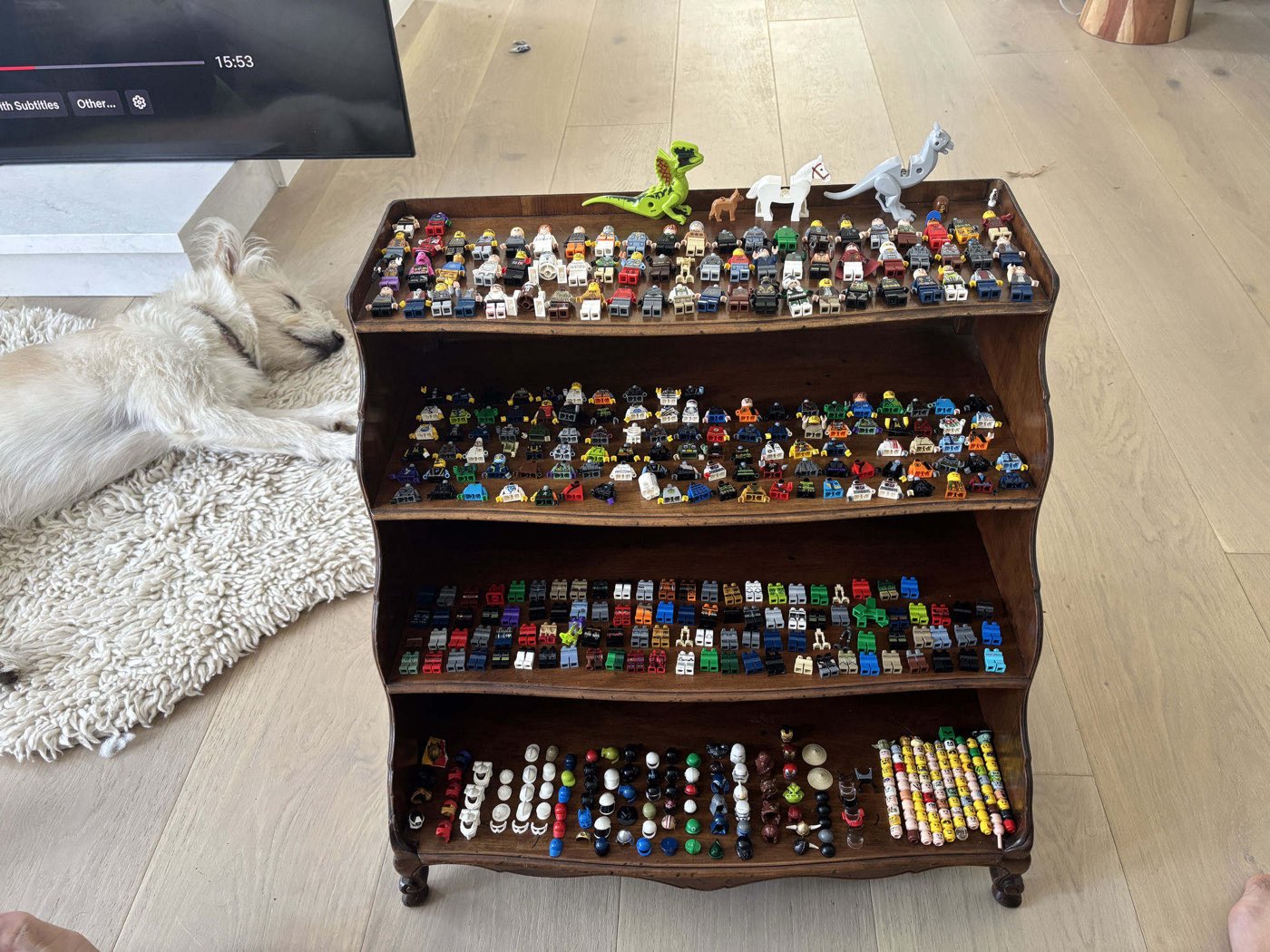
So I wanted to make this guide in the hopes that I could pass along some of my learnings and maybe save you from the hundreds of hours I've spent manually and painstakingly identifying minifigures one by one. The most important thing I've learned: the best way to answer “how do I identify this minifigure” has to do with why you want it identified because ultimately the why is what informs the right tools and approach for you and each question below maps to a certain approach.
- 1. What minifigure is this and which exact version?Because there are three dozen Vaders, and they are not worth the same.
- 2. Does this minifigure have all the right parts?Is the minifig in your hand actually complete?
- 3. What are these loose parts, and what minifigures do they go to?No assembled figure at all.
- 4. What can (or should) I build with the parts I have?The pile is identified... now what is the best or most valuable minifigure to build?
- 5. What set is this from and what else came with it?Placing the figure in the world.
- 6. What's the minifigure inside this sealed box?A different job entirely, with a great answer.
Find your question and jump. Every section gives you the slow, free, always-works way, usually BrickLink and some patience, and then the fast way.
1. What minifigure is this and which exact version?
Identification is really two moves: get a candidate fast, then make it exact. “It's Darth Vader” is a real answer... but LEGO® has made over thirty Vaders, and the difference between two of them can be one print detail and a few hundred dollars. So: candidate first, by whichever method fits your situation... then we pin the version.
The fastest candidate: a purpose-built photo identifier
Point a camera at the figure and let an identification app compare it against the actual LEGO® catalog (not the whole internet... the catalog). That distinction is the entire reason this method works. For a single mystery fig, Brickognize is the famous free one, built by an independent machine-learning researcher who is also, obviously, one of us... and it's excellent. It's the identification engine I built Figventory on top of, and credit where credit is due; everything Figventory adds (verification, batch scanning, the inventory itself) exists to answer the questions a raw identification can't.
A few habits that make any photo identifier dramatically better:
- Plain contrasting background... a sheet of paper is genuinely all it takes.
- Fill the frame, shot at the figure's level (not from above like you're interrogating it).
- Face the torso print at the camera. The torso is the single most identifying thing about a figure.
- If the result feels off and the figure's wearing headgear, take the hat off and shoot again.
And iPhone users: some tools quietly choke on HEIC, the iPhone's default photo format, and just... hang. (Figventory converts HEIC automatically, three fallbacks deep, because when I ran into this it drove me nuts.)
A whole bin of them?
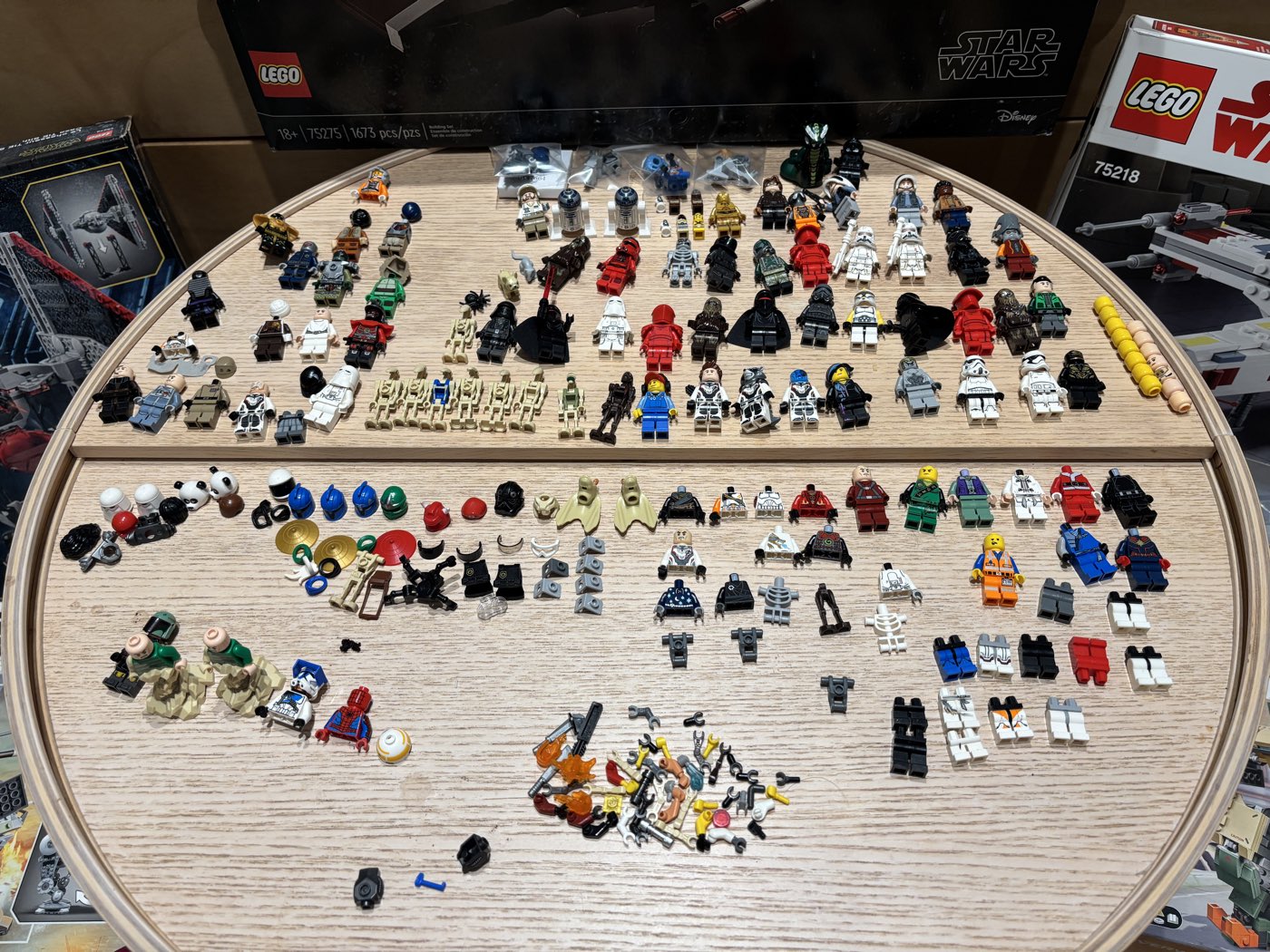
Let's do the honest math: a bulk bin can hold hundreds of figures and fig parts, at two to four minutes each by hand. That's somewhere between “a lost weekend” and “a lifestyle change”... I did it that way for months, and it was not a plan, it was BRUTAL. Scale is the specific wall Figventory was built to knock down: one PowerScan photo identifies up to 200 parts and minifigures at once, finds every figure in the frame (including partial ones), then queues each one for review... because after everything in this guide, you can see why I refuse to let software silently guess at figures. What used to be the whole weekend I can now knock out in the first twenty minutes. (If a bin is exactly your situation, the bulk lot guide covers everything after identification.)
Identifying minifigures with Google Lens (the one everyone tries first)
You already know how this went for my family. Lens is great at recognizing that something IS a minifigure, and it occasionally nails a famous licensed character. But it's matching your photo against the entire internet (marketplace listings, blog photos, other people's hauls), not a structured LEGO® catalog. For a famous fig you get a decent answer; for everything else you get a wall of visually similar listings to squint at many times with the incorrect part number. Two tricks if you use it anyway: crop tight to the torso print before searching, and add words: “LEGO® minifigure” plus your best theme guess. Honest verdict: fine for a lark, frustrating if you are trying to be specific. It's the method you use before you know the other methods exist.
Ask the humans
The community's collective identification power is genuinely absurd... there are people who can name a figure from a blurry photo of its left arm. BrickLink's forum has a dedicated Catalog Identification section; Facebook has an entire group literally named “Identify My LEGO Minifigures, Parts, and Pieces”; Brickset's forum runs a long-standing help-me thread; Reddit fields ID requests daily. Best for the truly weird stuff: obscure vintage figures, promotional oddities, knockoffs (they'll spot a fake instantly... and tell you, kindly).
Two catches: you're waiting on strangers' free time, and answers arrive confident, not verified... people are right a lot, and wrong with the exact same energy. Confirm whatever name you're given against the catalog before you price or list anything.
And since no community has ever standardized what a good ID-request photo looks like, allow me:
- Front of the torso, the face, and the back... back-printing narrows candidates fast.
- Headgear off in a second shot.
- Accessories laid beside the figure, not held.
- Honest light, one figure per post.
You'll get better answers faster, and the group will love you.
Know where the collection came from? Skip the photos entirely
A childhood collection, an estate lot, one family's bin: you're not searching all of LEGO® history, you're searching those sets. Look up the sets you know were owned, open their minifigure inventories, and compare against that small pool. It's the fastest non-AI method there is, and it's the one case in this guide where a camera genuinely isn't needed.
Now make it exact
Whatever handed you the candidate, the variant check is yours. Nearly-identical twins are everywhere: same torso with different arm colors, same everything with a different face, printed legs versus plain. Price the wrong twin and you're off by 10x in either direction. The tells, in the order I check them:
- Arm colors (both arms) and hand colors... the sneakiest variant axis there is.
- The head: expression, and turn it... alternate faces are a variant axis all their own.
- Leg printing (printed, dual-molded, or plain).
- Headgear mold and back printing.
Manual confirmation is honest work: pull up the candidate figures' catalog entries side by side and compare part by part... near-twins usually differ in exactly one place, and the catalog photo will show you where to look.
One warning: this is precisely where photo identifiers are weakest. A matcher sees “that torso” and hands you the famous version of the figure, not necessarily yours. Treat any photo ID of a valuable-looking figure as a candidate until the details check out... which is the entire next question.
2. Does it have all the right parts? Is it complete?
Meet the frankenfig
Every bulk lot contains them: figures assembled by a previous owner (usually a previous owner aged seven) from whatever parts were in reach. Pirate torso, astronaut legs, wizard hat. I have pulled some genuinely inspired combinations out of bins... none of which exist in any catalog, which is exactly why photo matchers panic at them. The move: stop identifying the figure and start identifying the torso. The torso print is a minifigure's fingerprint: identify it, and the catalog tells you which figure it belongs to and what that figure is supposed to be wearing... at which point you can go shopping in your own parts pile.
Verification: the step everyone skips
Identification and verification are two different jobs. Identification tells you what the figure is supposed to be. Verification tells you whether the one in your hand actually is that... right arms, right hands, right headgear, nothing missing, nothing swapped. Every cataloged figure has an official recipe, so the manual loop is: identify → pull up the catalog entry → compare piece by piece.
I want to show you how far I took the manual version of this, because I earned this paragraph.
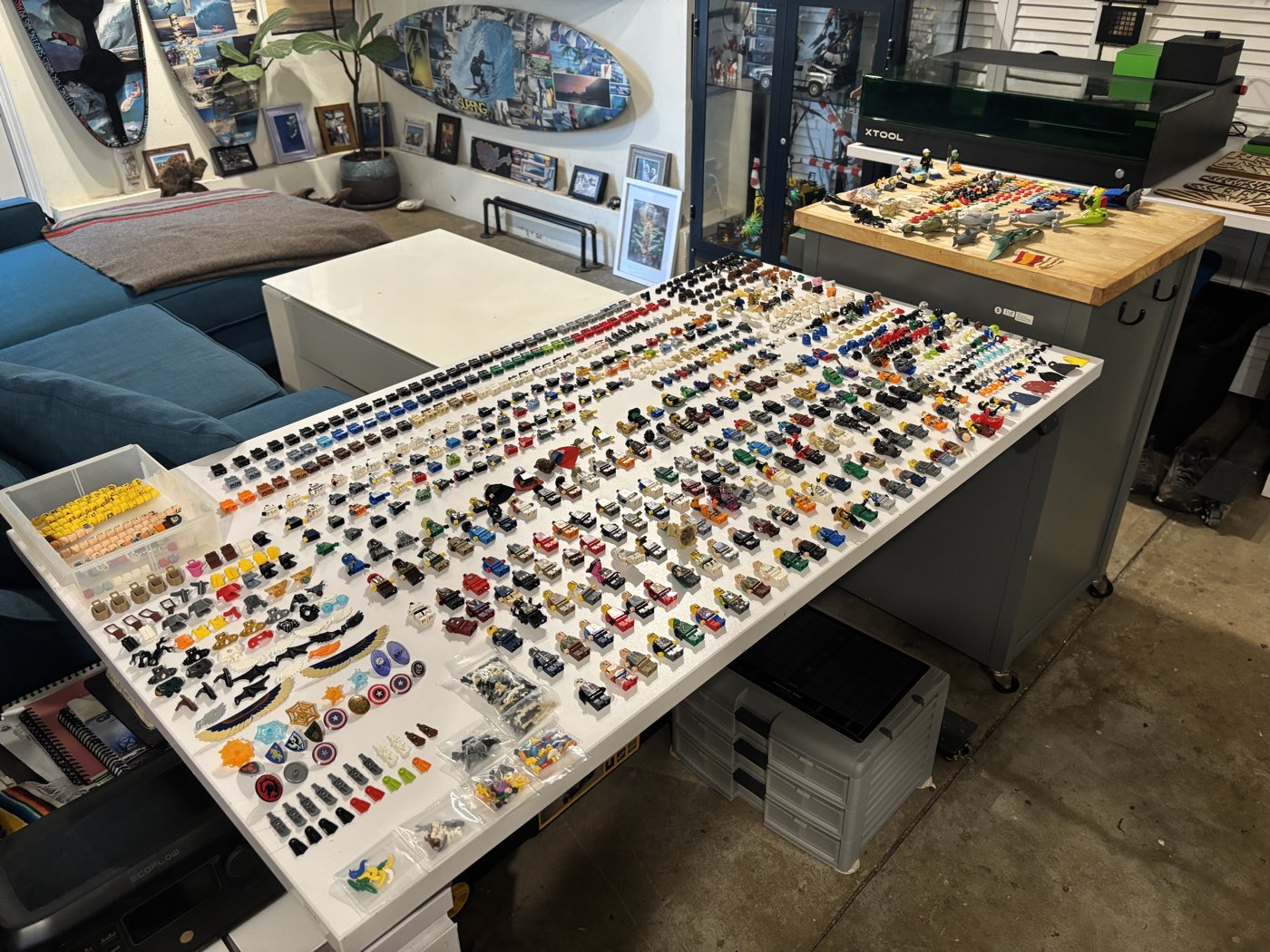
That's a real evening at my table: every semi-complete figure from a lot laid out, hundreds of loose parts arranged around them, so I could identify each fig, see what it should look like, spot what was missing, and systematically hunt the loose parts to complete it. Tracked in spreadsheets. Multiple spreadsheets. It works (it's completely reliable in theory)... and it's brutal at any real volume. And here's the part that finally broke me: even with all of that, I still built figures I was sure were right... that weren't. A wrong-color arm under warm indoor lighting looks exactly like a right-color arm. Ask me how I know.
That evening is why the part of Figventory I'm proudest of exists: AI Smart Verify compares your actual photo against the catalog reference for that exact figure (torso, each arm, each hand, head, headgear, accessories) and marks every part correct, wrong, hidden, or missing. The figure rolls up as complete, partial, or mixed, and anything questionable lands in a review queue where you make the final call, side by side with the catalog image. Identification is a well-solved problem with several good tools; verification is the part everyone's been doing manually. It's the single biggest reason Figventory exists.
(Once you know what's missing: the minifigure repair guide covers loose arms, missing hands, and where exact replacement parts actually come from... often for under a dollar.)
3. What are these loose parts, and what minifigure do they go to?
Time for the librarian method... and time to clear up the part-number myth I've seen everywhere, including (for one embarrassing week) on this very page. We grow, we learn.
The part-number myth, cleared up
What the molded numbers actually tell you: many parts carry a tiny molded number on an inside surface... but it's the mold number, the shape's ID, shared by every part from that mold. The standard torso mold hasn't changed identity since 1978, and the plain version appears in hundreds of figures. And my honest field report: I've been told the numbers exist, and I have never been able to see one on a minifig part myself... they're that small. Even if your eyes beat mine, reading one only ever names the mold, never your figure. (The anatomy guide maps where they officially hide, part by part.)
What the print codes actually are: codes like 973pb1061 (the ones that resolve to an exact figure) are BrickLink catalog designations, assigned by catalog volunteers. They are not printed on the part, no matter how good your lighting is. The numbers are the catalog's language: how you search, sort, and buy. The plastic will never tell you them... the print will.
For a printed part: match the print
- Identify the print. Photo-ID the single part (one clean part, one clean answer... it's what photo identifiers are genuinely best at), or search BrickLink's category for that part type by description: theme guess, dominant color, words for what's on the print (“torso ninjago green,” “torso plaid shirt”).
- Open the part's catalog page and hit “Appears In”... the magic button of the whole manual method. It lists every minifigure that part belongs to, and a distinctive printed torso often narrows to exactly one figure. One! From a single part!
- Match yours against the candidates (face, legs, accessories) and you've identified a whole figure from one piece.
Tricks that make it sing:
- Start with the weirdest part... a distinctive helmet appears in far fewer figures than a common torso.
- Back-printing is a gift.
- You can even date mystery torsos by their insides (interiors changed twice over the decades... same 973 outside, different era of catalog to dig in).
For an unprinted part: color is the whole game
There's nothing to print-match on a plain arm, a hand, or bare legs... here, color becomes the whole game. The trick comes from the monochrome-minifig builders, who are the grandmasters of this: open the part's BrickLink page, hit the Color Info tab, and the Known Colors list tells you every color that part exists in. Pick your color there, and the color-filtered “Appears In” view lists which minifigures use it in that color. An orange left arm suddenly isn't anonymous; it belongs to a small, listable club of figures. Color is the only handle an unprinted part gives you, and it's a real one. (It's also the fussiest, most tedious corner of the entire manual workflow... remember the spreadsheets.)
The endgame of both routes is the same beautiful idea, intersection: your torso appears in 12 figures, your head in 8... only 2 figures use both, and the leg color eliminates one. Congratulations: you just ran a matching engine by hand.
If you want that walk at full length for a single loose torso (or a head, legs, hair, or a plain arm), the torso part-number guide does it step by step, from the part in your hand to the exact figure.
The payoff: from loose parts to minifigures
And here I have to be upfront, because this question is the entire reason Figventory exists. Telling you what your loose parts are, and what minifigures they can become... that's not a feature of the app, it IS the app. The manual routes above work one part at a time; Figventory does the pile. PowerScan a tray and every piece gets identified into your inventory, colors included. Then the build engine cross-references everything you own against every figure's recipe in the catalog and hands you the answer you actually came here for: these parts make THESE minifigures. Complete figs you can build right now, near-complete figs one cheap part away, and the exact list of what's missing for each. It's intersection, running across your whole collection at once... and it regularly surfaces figures you didn't know you had. You came to identify parts; you leave with figs. (What to build first, and whether it's worth it: that's the next question.)
(Full part-by-part anatomy lives in the minifigure parts guide.)
4. What can (or should) I build with them?
Once the pile is identified, a different question appears... and honestly, my favorite one. The answer depends on who you are:
The collector's version
You're chasing a theme, or reassembling the figure roster of sets you love. So you work figure-first: which figures do my parts already complete, and which are one part away? Manual method: pick a target figure, pull its catalog recipe, hunt your parts for each piece. Repeat per figure. (You can hear the spreadsheet assembling itself, can't you.)
The reseller's version
The pile is inventory, and the question is ROI: which almost-complete figures are worth finishing, and which missing parts would unlock the most value? The math is real: value concentrates hard in a minority of figures, and completing the right $30 figure with a $0.40 arm is the best trade in the hobby. Manual method: same as the collector's, plus price checks per candidate (the worth guide covers pricing honestly).
Then come the genuinely fun dilemmas, the ones that make this feel like chess: this torso completes two different figures... which one gets it? And: do I build the figure partially now, or wait until I can source the last parts? There's no universal answer (that's the “should” in the question, and it's yours). What the tools change is that you finally see the whole board: Figventory's build engine cross-references everything you own against every figure's recipe, ranks what's worth completing, and lets a partial build stand as partial with its missing parts listed. Wishlist the gaps, and they're waiting for you at the next bulk bin. Reuniting a fig with its own legs after twenty years apart remains one of the quiet joys of this hobby.
5. What set is this minifigure from and what else came with it?
Set matching runs in both directions, and both are useful:
Figure → sets
Your identified figure's catalog entry has its own “Appears In”: every set that figure shipped in. That's provenance (what lot did this bin probably come from?), listing accuracy (“from set 6285” sells better than “pirate guy”), and (dangerously) the collector's gravity: seeing the set list is how one figure quietly becomes a project, because now you know what the rest of the set's roster looks like.
Set → figures
Sometimes you know the set, and the question is who's missing. Manual route: look up the set on BrickLink or Brickset, open its inventory, read the minifigure list, compare against what you've got. It works... it's just read-only. The catalog can't see your collection, so you're the lookup table.
The connected version is one of my favorite things Figventory does, precisely because no catalog page can: search any set, and its figure roster shows against your actual inventory: each figure marked complete, buildable from parts you already own, partial, or missing. That “buildable” state is the sleeper: more than once I've discovered I already owned a “missing” figure... in pieces, across three bins. The genuine gaps go on a wishlist, which is the closest thing to a treasure map this hobby offers.
6. What's the minifigure inside this sealed box?
If you're holding an unopened Collectible Minifigures box, none of the methods above apply... and the method that does apply comes with a genuinely entertaining history.
A brief saga of trying to know what's in the bag: the original 2010 blind bags had per-character barcodes (scan, know, done)... which LEGO® removed after two series, specifically because people like us were cherry-picking. The community responded by decoding the embossed dot patterns on the bags. When those went, everyone spent the next decade identifying bags by feel: squeezing foil packets in store aisles, hunting the distinctive accessory, guided by per-series “feel guides” the fan sites solemnly published. Some people weighed them. None of this is exaggeration; the feel guides were detailed.
Then in 2023 the packaging switched from bags to boxes, and squeezing was over. But the boxes carry a small square code on the bottom (technically a data-matrix code, the QR code's compact cousin)... and starting with Series 25, the community cracked it. Free scanners read it and tell you the figure inside: Jay's Brick Blog and Falconbricks both run free web scanners, and dedicated CMF scanner apps do the same job. They're good at it, and if sealed boxes are your thing, use them happily... that's a job Figventory doesn't do, and doesn't need to.
The honest fine print: the code identifies which character is in the box. Every box of the same character carries the same code, so it's for avoiding duplicates, not finding golden tickets. LEGO® has never officially confirmed the mechanism, codes differ by region, the earliest boxed batches don't decode... and the scheme could change any series. The community will re-crack it, with the cheerful persistence of people who once identified minifigures through foil, by touch.
(One clarifying note, because the app stores blur it: most apps named “minifigure scanner” are box-code readers: excellent at sealed boxes, no help with the loose figures the rest of this guide is about. Photo identification and code scanning are entirely different machines that happen to share a word.)
Every method, honestly ranked
The promised ranking, by how often each method is the right first move for a loose, unknown figure:
| Rank | Method | Reach for it when | The honest one-liner |
|---|---|---|---|
| 1 | Purpose-built photo ID | Any assembled fig, any time | Fastest correct answer; verify the lookalikes |
| 2 | Batch photo ID | More than ~20 figures | The only sane answer at bin scale |
| 3 | The catalog method | Loose parts, obscure figs, rainy afternoons | Slowest, most reliable, weirdly soothing |
| 4 | Ask the community | The truly strange stuff | Astonishing knowledge; verify what you're told |
| 5 | Google Lens | Famous characters, idle curiosity | The free first guess you'll outgrow |
| — | Box codes | Sealed boxes only | Perfect at its one job; not really in this contest |
And the part I'd want you to remember even if you close the tab: whatever identifies your figure, verification is a second, separate step. The catalog knows what the figure should be; only a part-by-part check (yours or software's) knows what's actually in your hand.
The FAQ corner
What LEGO® minifigure is this? Photograph it with a purpose-built identifier (Brickognize free, or Figventory for bulk + verification), or identify its printed torso through a catalog like BrickLink and use the part's “Appears In” list to find the figure. Those are the two reliable paths for a loose figure.
Can Google Lens identify LEGO® minifigures? Sometimes... it's decent on famous licensed characters. But it matches against the whole internet rather than a LEGO® catalog, so for most figures it returns lookalike listings, not an identification. Purpose-built identifiers are far more accurate.
How do I identify a minifigure without an app? Identify its most distinctive printed part in the BrickLink catalog (search the torso category by description), then use that part's “Appears In” list to find the exact figure. Slow, free, and it always works.
How do I identify an unprinted minifigure part, like a plain arm or leg? By color: the part's BrickLink Color Info tab lists every color it exists in; pick the color, and the color-filtered Appears In view shows which minifigures use it in that color. Color is the only handle an unprinted part gives you... and it genuinely works.
Where is the part number on a LEGO® minifigure? Minifigure parts officially carry tiny molded mold numbers on inside surfaces... small enough that many sorters (me included) have never managed to spot one. Even found, the number names the mold, which is shared across hundreds of figures. The print codes that identify exact figures (like 973pb1061) are catalog designations, found by looking up the print, not by reading the plastic.
How do I know which minifigure is in a sealed box? Series 25 and newer Collectible Minifigures boxes carry a data-matrix code on the bottom that free scanner tools can read to reveal the character inside. It isn't officially confirmed by LEGO® and only exists on boxed series... bag-era figures can't be scanned.
How do I know if my minifigure has the right parts? Every cataloged figure has an official parts recipe. Compare your figure against its catalog entry part by part (arms and hands included), or let a verification tool do it from a photo: Figventory checks each part and marks the figure complete, partial, or mixed.
How can I tell if a minifigure is fake while identifying it? Check for the LEGO® logo molded on the studs near the head, and look at print quality: genuine printing is sharp and aligned. There's no official guide from the LEGO Group, so all detection advice is community wisdom... which is exactly why I spot-check every bulk lot (that ritual's in the bulk guide).
Whatever's in your hand right now... I hope it turns out to be the rare one :)
And if it does (or if it turns out to be a frankenfig in a wizard hat) I genuinely hope you enjoyed finding out. That part's supposed to be fun. If a whole bin of mystery figs is staring at you, Figventory's built for exactly that... and if you'd rather do it the librarian way with a podcast on, you have my complete respect and probably my company.
— Matt