
Spread it. Shoot it. Sort it.
One photo from straight above... the AI does the crawling.
Spread the pile on a tray
Loose parts, assembled figs, or the honest mix most tubs actually are. Pieces roughly one layer deep, decent light... a baking sheet works great.
Take one photo, straight down
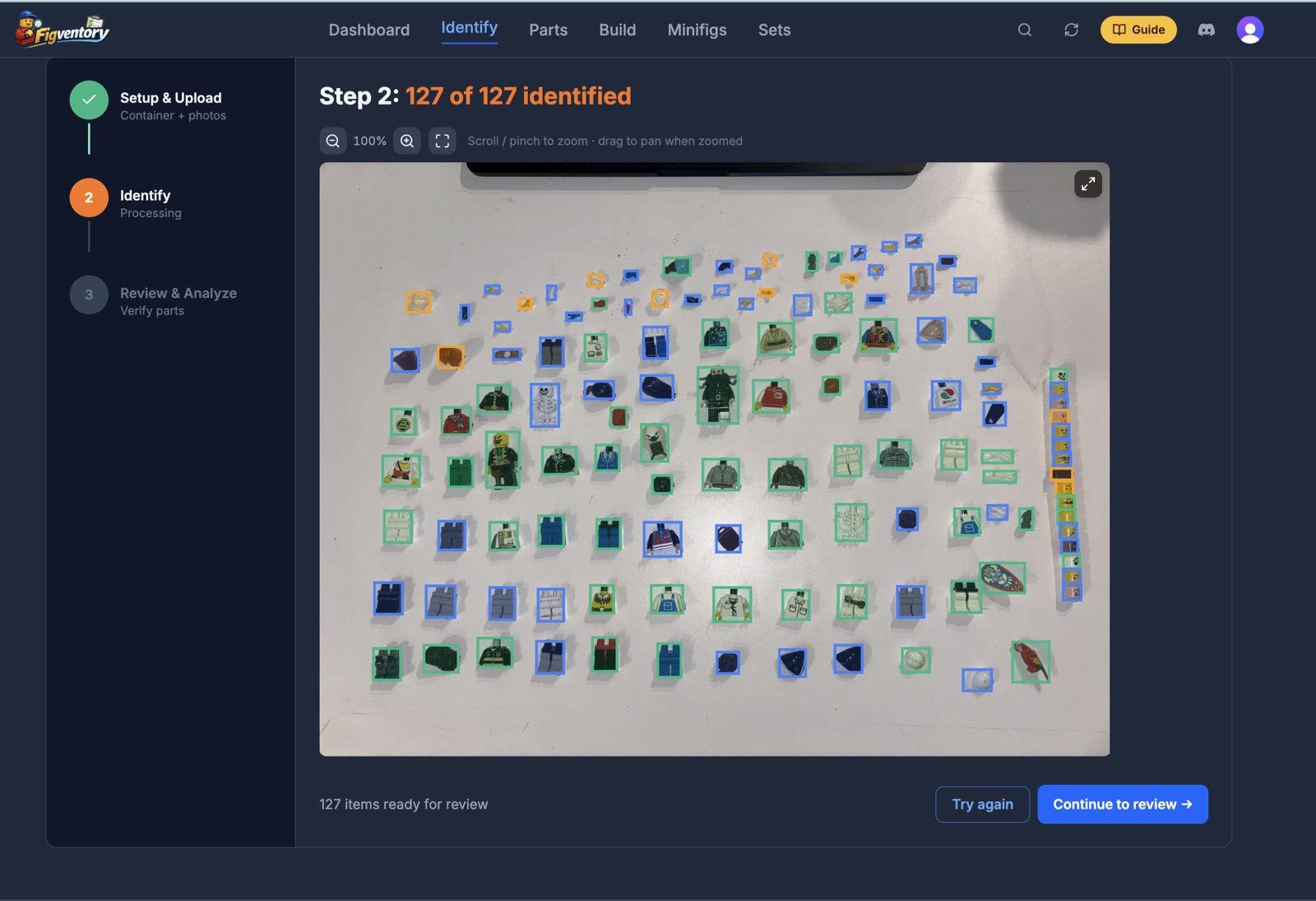
On your phone, tap Take photo right in the browser. On a computer, drag any photo in. The scanner outlines every piece it finds in the frame.
Review names, prices, and builds
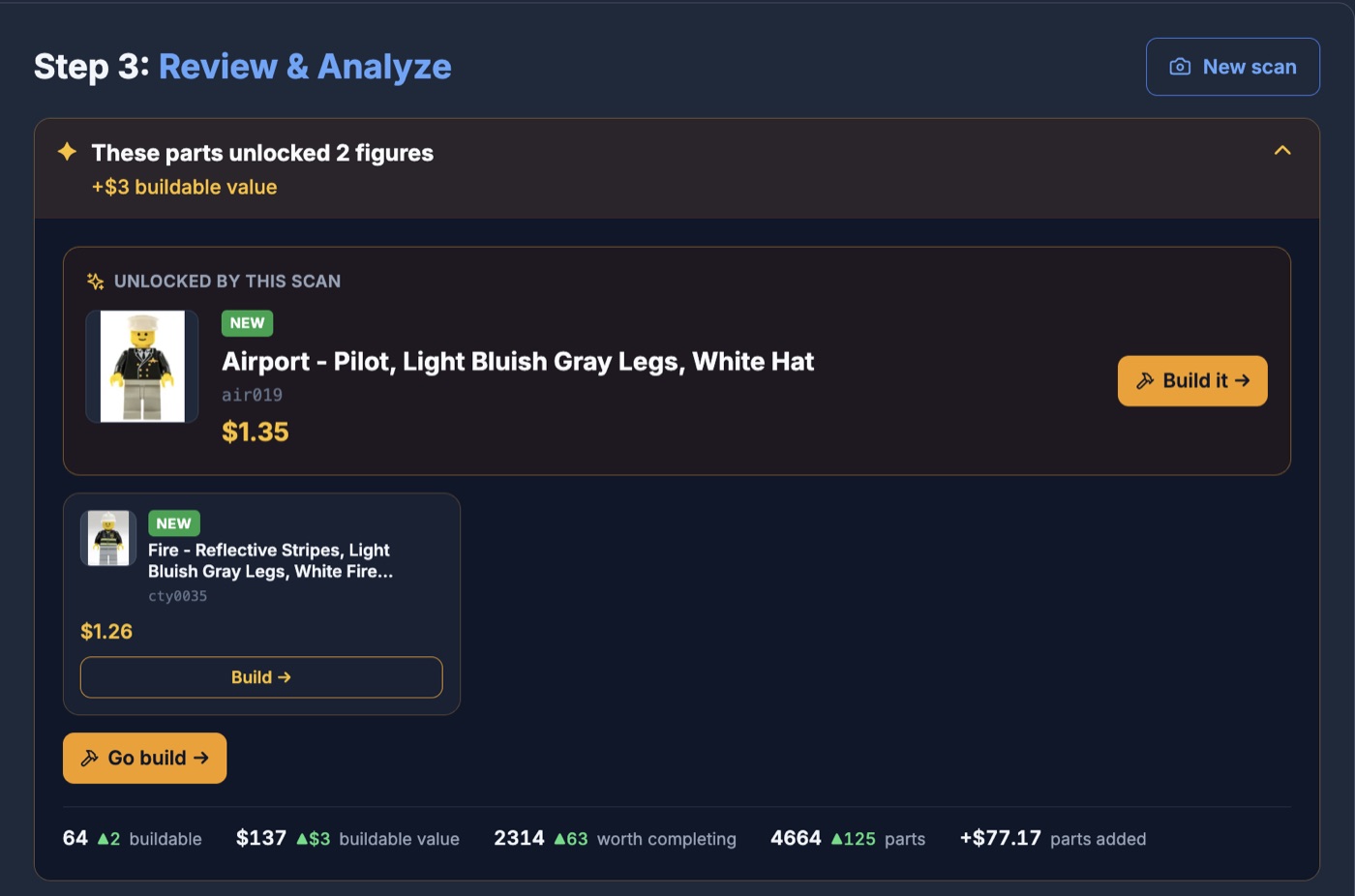
Every piece comes back identified with its BrickLink ID and what it sells for, sold prices not asking prices. Confirm or correct each one, and your inventory updates itself... including which complete figures the pile can now build.
Figures, parts, and the pile that is honestly both
Most bulk lots are not tidy. That is the point of this thing.
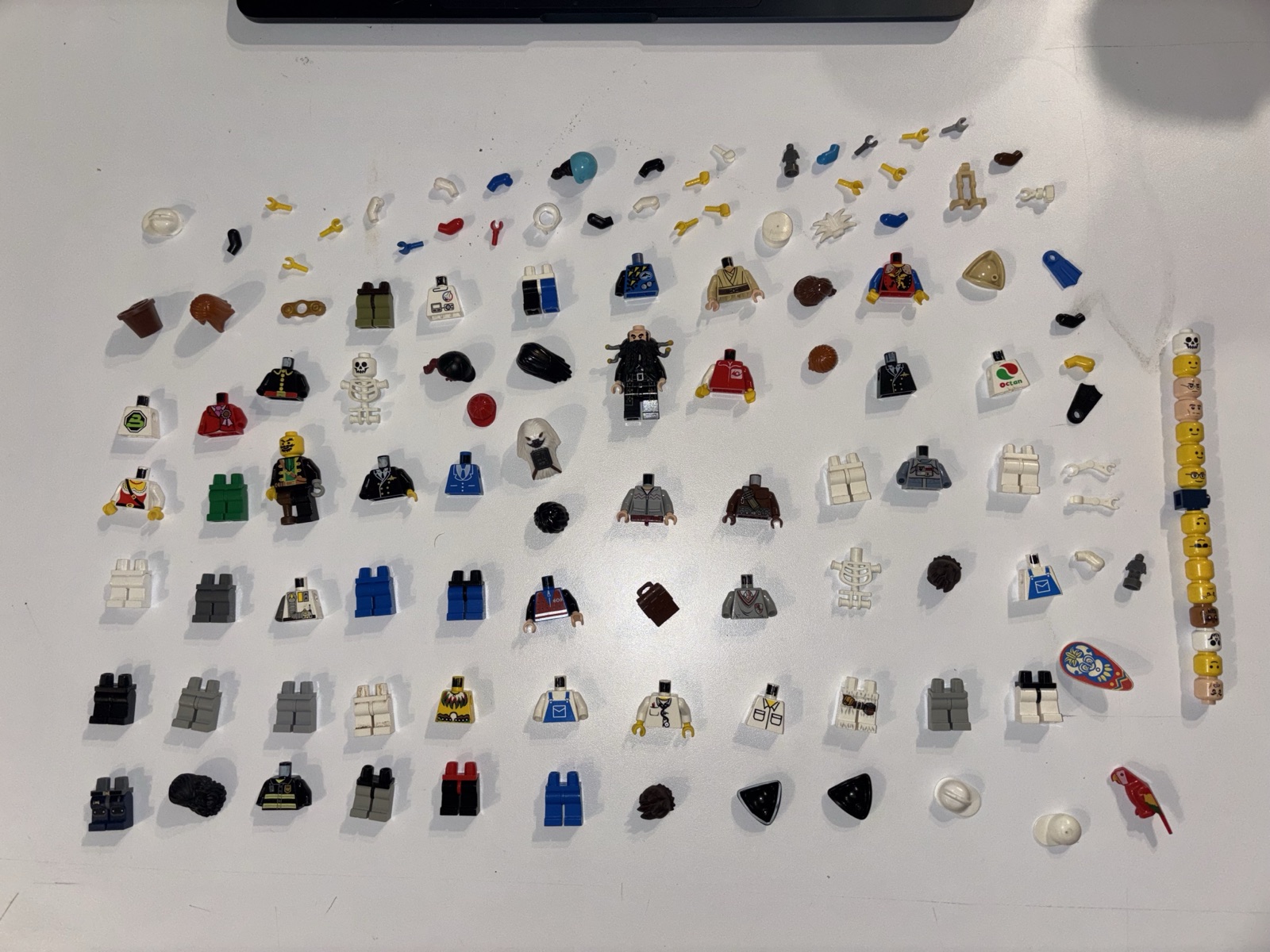
Assembled minifigures
A tray of complete figs, each identified to the exact catalog entry with used and new sold values.
Loose parts
Torsos, legs, heads, headgear... identified individually, priced individually, and tracked as parts you own.
The build engine
The part nobody else does: Figventory knows every part you own, so it tells you which complete figures you can BUILD from the pile, and which are one cheap part away.
Exports
BrickLink wanted lists and CSV, so what you find leaves with you. Your data is yours.
Why in the browser matters
Every other bulk scanner in this hobby is an app-store download. Honest rundown of the difference, as of September 2026.
No accuracy percentages here on purpose: nobody in this space publishes an independently verified number, me included.Here is how the technology actually behaves, with real photos.
Trying to scan sealed minifigure BOXES?
Different job, different tool. Sealed Collectible Minifigures boxes carry a printed data code (Series 25 and later), and the free code-reader apps read it to reveal the figure inside... they are great at it, and this page is not that. This scanner is photo AI for LOOSE figures and parts: the tub, the tray, the inherited pile.
Bulk scanning, honestly answered
Is there a way to scan LEGO® minifigures in bulk?
Yes. Spread them on a tray, take one photo from straight above, and the scanner finds every figure and part in the frame, identifies each one against the BrickLink catalog, and prices them from real sold listings. It runs in the browser on your phone or computer, and a free account includes 5 PowerScans a month with up to 50 pieces per photo.
How much does a minifigure scanner cost?
This one is free to start: a free account includes 5 PowerScans a month (up to 50 parts or figs per photo), 50 minifig IDs, and 30 AI Smart Verifications, with no card and no trial clock. The paid tiers on the pricing page are for bulk volume: bigger trays (up to 200 pieces per photo) and reseller-scale monthly limits. Most app-store scanners require a download, an account, and a subscription for real volume.
Is it illegal to scan LEGO® minifigures?
No... photographing your own bricks is about as legal as hobbies get. The question usually comes from the sealed-box codes: reading the printed code on a Collectible Minifigures box in a store is not illegal either, though some stores understandably frown on shoppers cherry-picking boxes. Scanning a tray of loose figures at home is nobody’s business but yours.
Is there an app that can scan minifigure boxes?
Yes, but it is a different kind of scanner than this page. Sealed Collectible Minifigures boxes carry a printed data code (since Series 25), and free code-reader apps read that code to tell you which figure is inside. This scanner is photo AI for LOOSE figures and parts... the pile on your table, not the sealed box on the shelf.
Can it scan loose parts, or only assembled minifigures?
Both, in the same photo. A tray of assembled figs, a pile of loose torsos and legs, or a true junk-drawer mix all work. Loose parts are actually where it earns its keep: after identifying them, it tells you which complete figures your parts can build, which no price-list scanner does.
What does it do that a price-checking scanner does not?
It keeps your inventory. Every scan lands in a collection you can sort into bins, search, price, and export (BrickLink wanted lists, CSV). And because it knows every part you own, it computes which figures you can complete... scan a bulk lot and see the figures hiding in it before you list a single part.
Do I need to install anything?
No. It runs in the browser on iPhone, Android, and desktop. Tap Take photo on your phone, or drag a photo in on your computer. Nothing from an app store, nothing to update.
Got a bulk lot on the way? The bulk-lot workflow guide is the field manual · buying online? The free Bulk Lot Scanner extension scans listings before you bid · curious what a torso is worth on its own? Browse the parts catalog.
The tub is not going to sort itself.
I built this because I was the guy with the laid-out parts and the spreadsheets, and it still took me whole weekends. Five free PowerScans is enough to see what is actually in your pile... zero pressure after that. If it saves you the weekend it saved me, we are square.
— Matt